pennyrow Join the waitlist

Coming soon...

Track it. Plan it. Keep it private.

A desktop money manager that keeps your data on your computer.
No cloud. No ads.

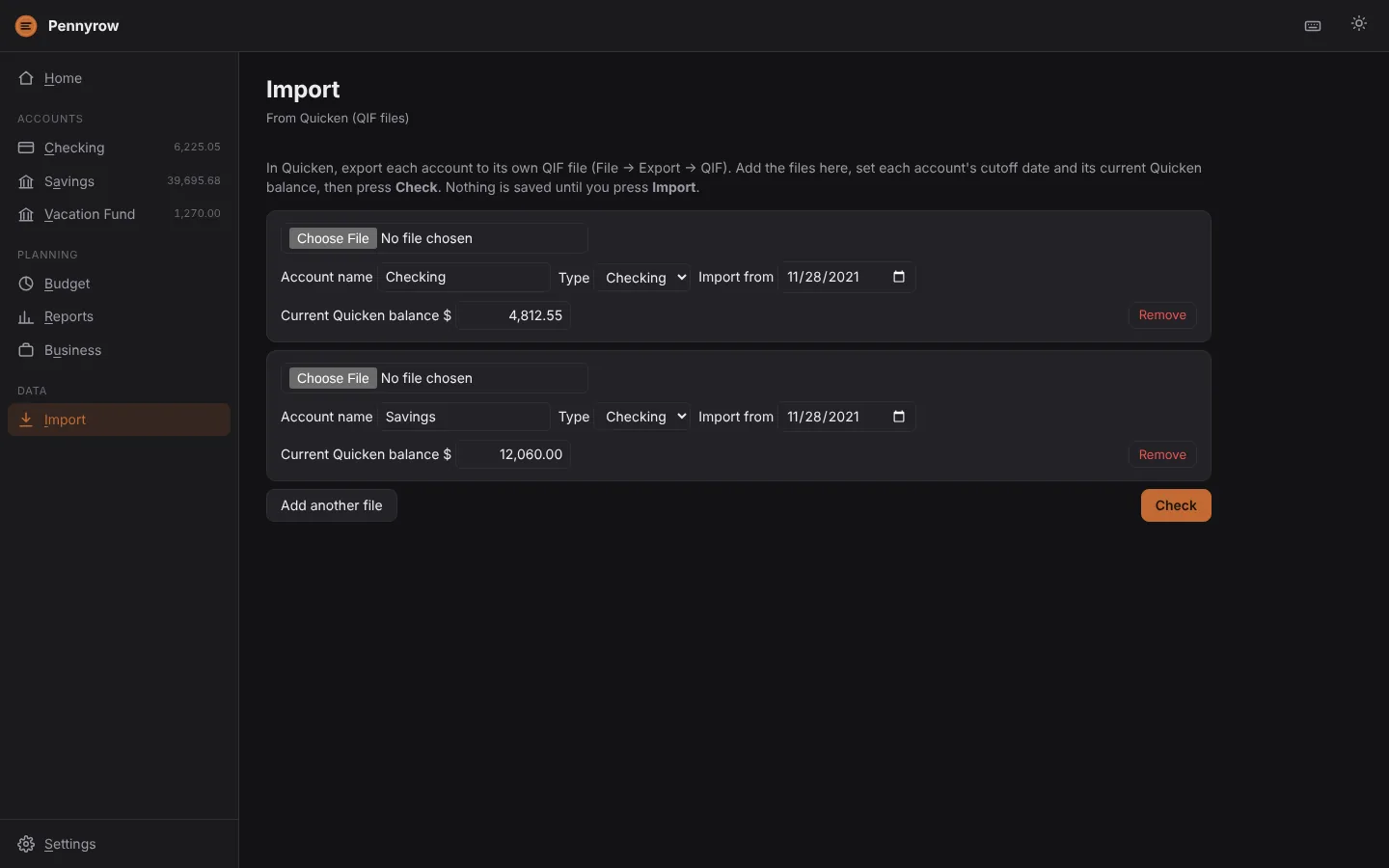
Moving from Quicken? Import your QIF files and keep your history.

No spam, ever. Your email is never sold or shared, and you can leave the wait list anytime.

Pennyrow
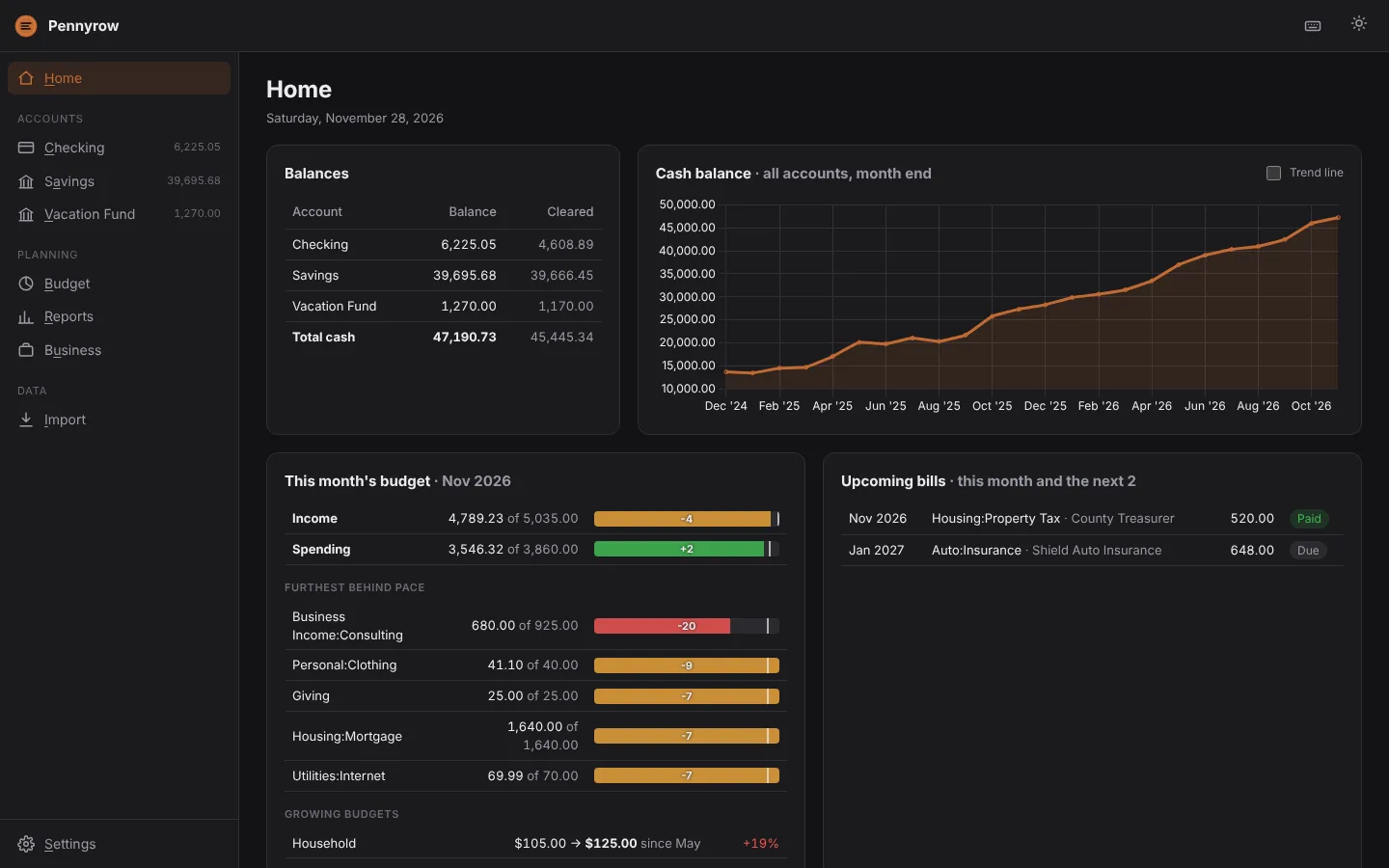
Pennyrow dashboard: account balances, cash balance chart, this month's budget pace, upcoming bills and business totals

The dashboard, with a made-up household. Every screen is shown below.

Take a quick tour.

A two-minute tour of Pennyrow, using a made-up household. Plays from YouTube when you press play.

Everything a household needs. Nothing it doesn't.

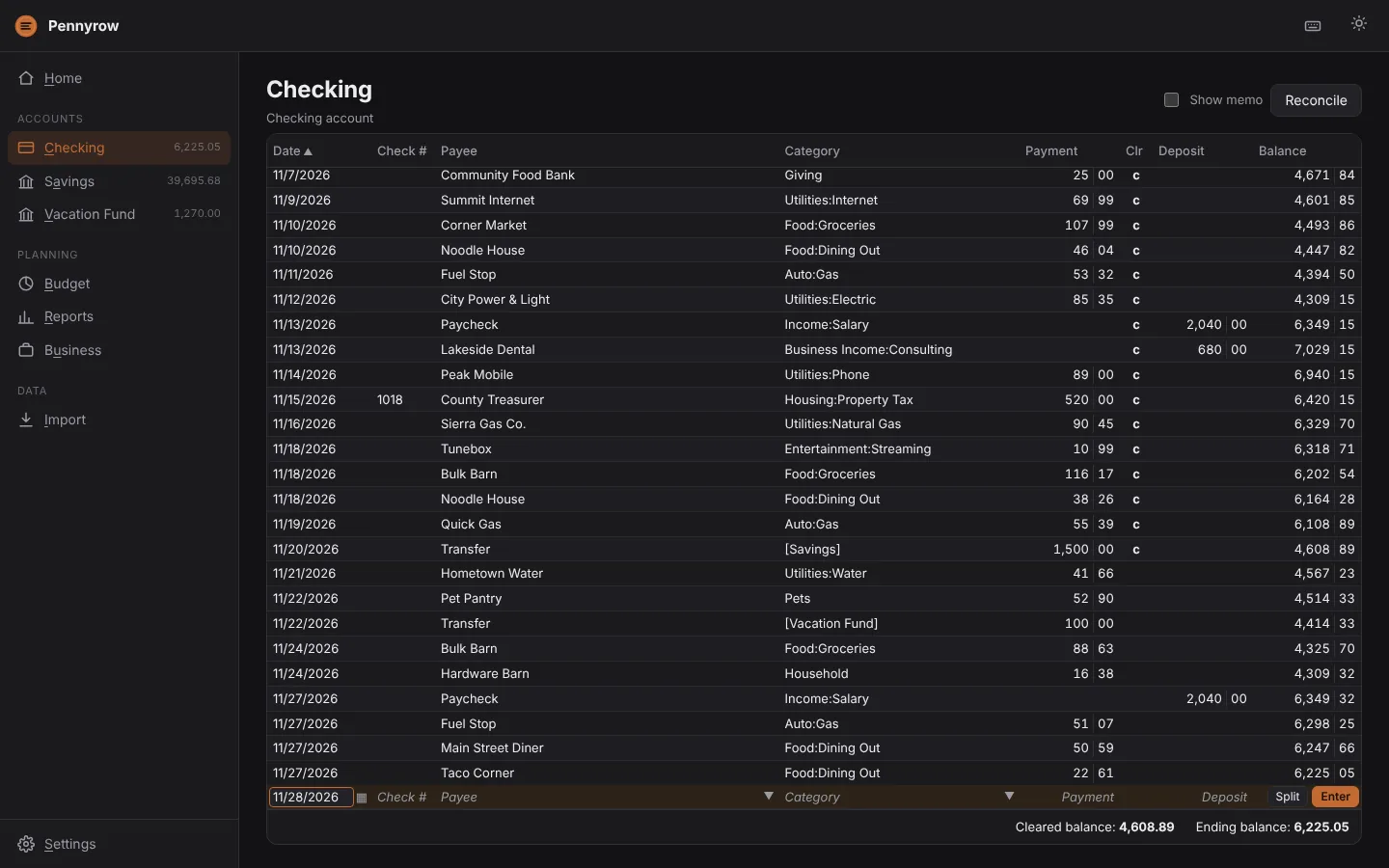
A register you already know

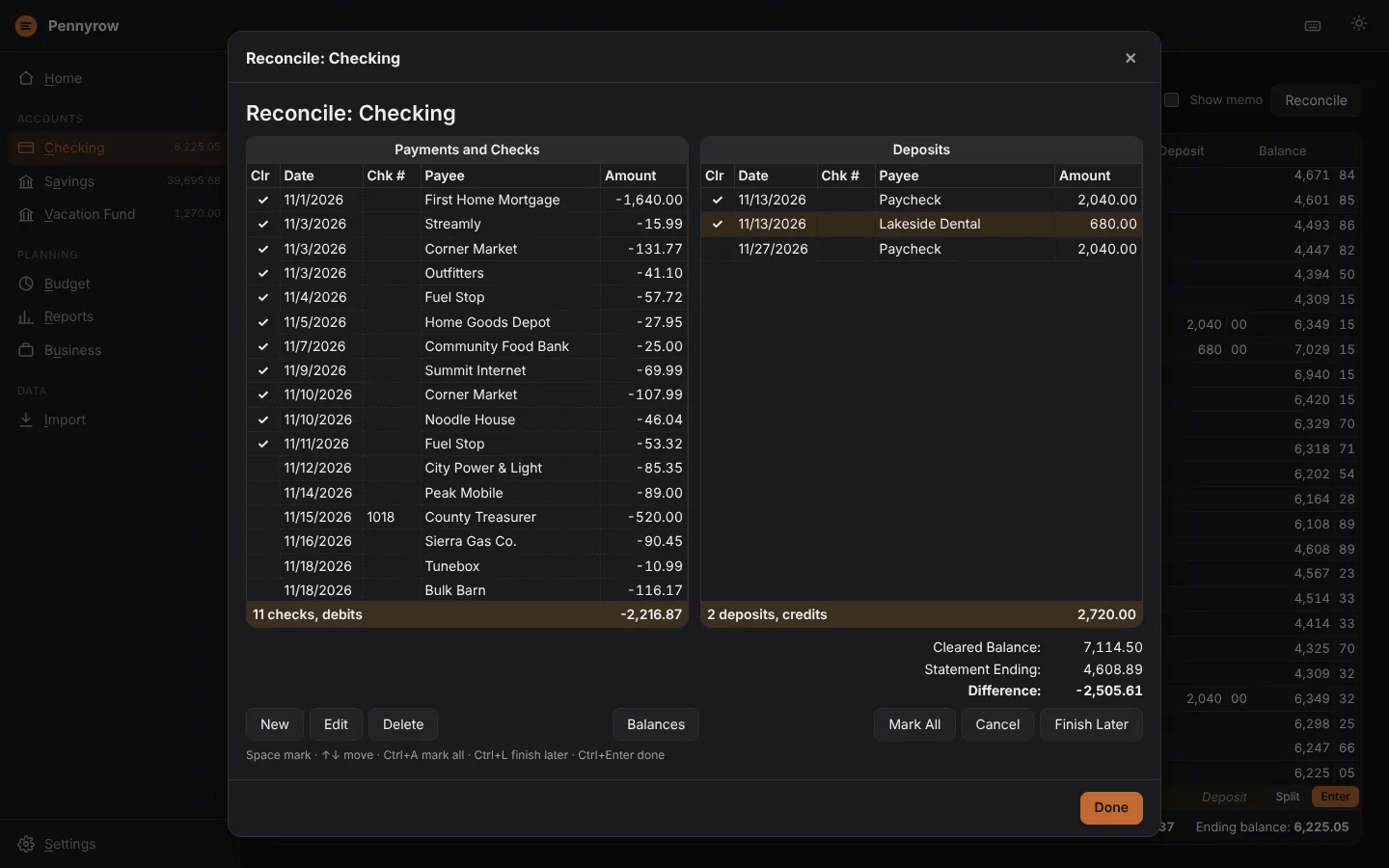
If you've used Quicken, you'll be at home: one row per transaction, a running balance, splits, transfers between accounts, and reconciling against your statement.

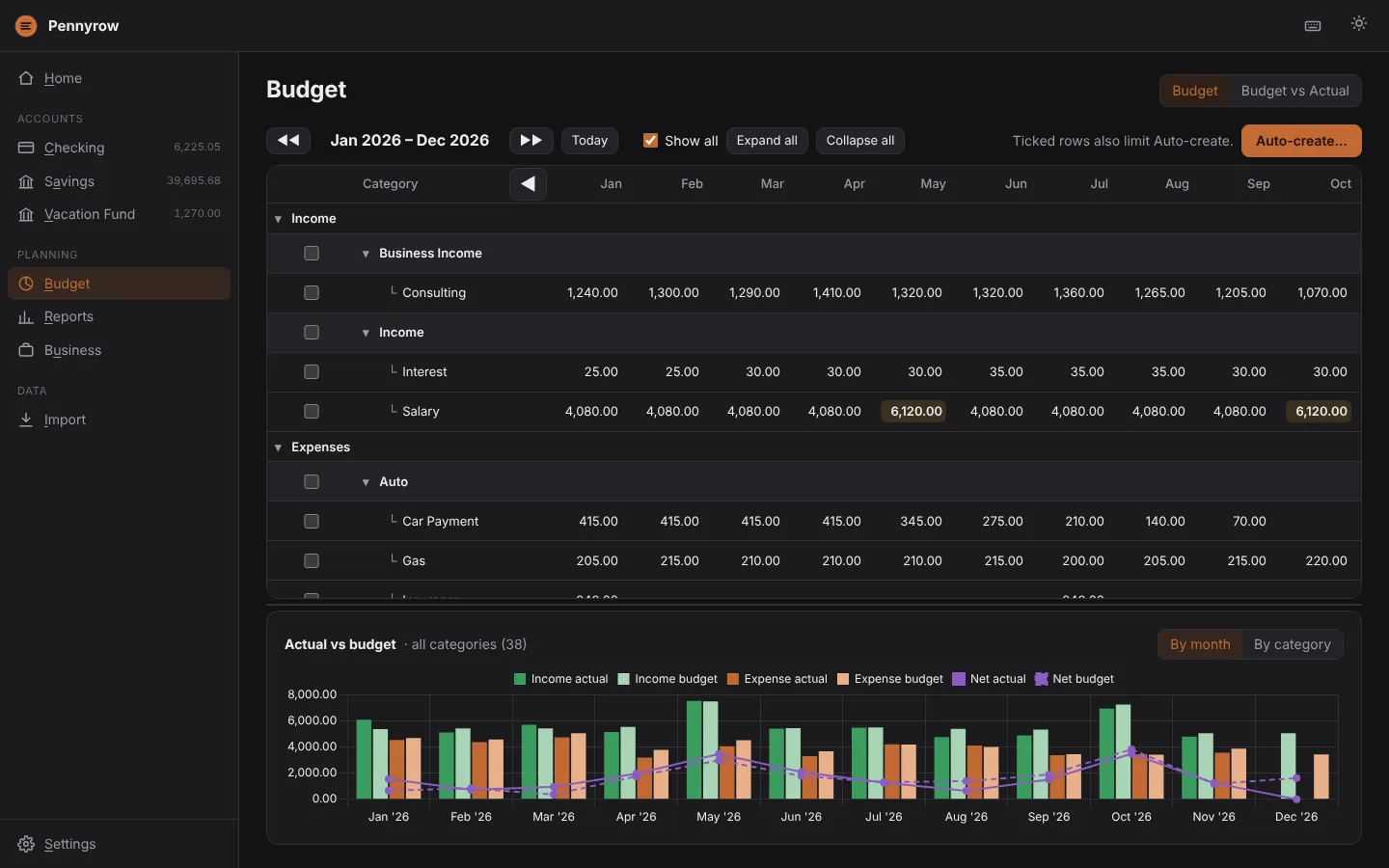
Budgets that set themselves

Pennyrow studies your own spending and picks the right budget for each category, including bills and seasonal costs. How it works

Know if you're on pace

Every budget shows whether you're ahead or behind for today, not just whether you've already gone over. See pacing

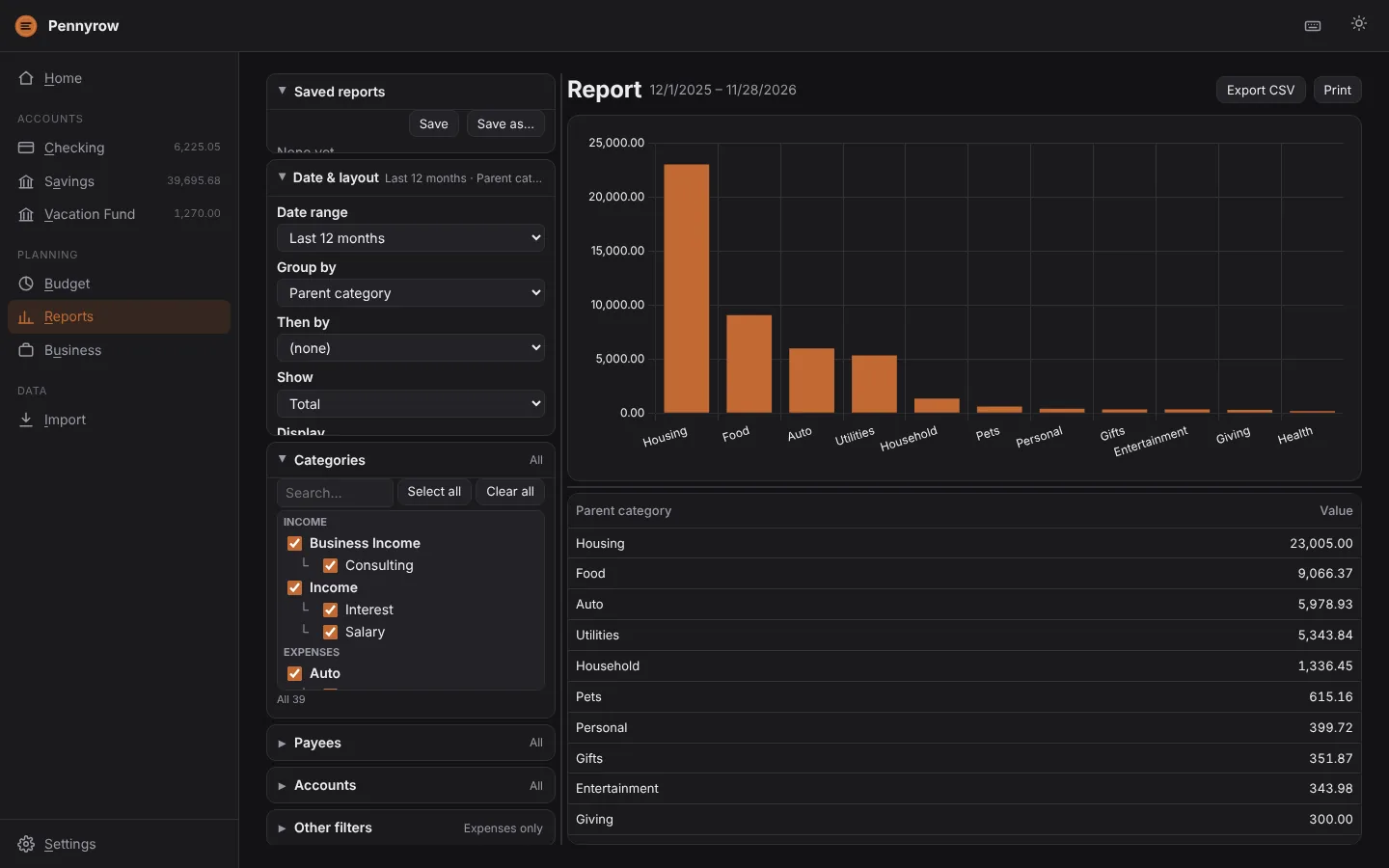
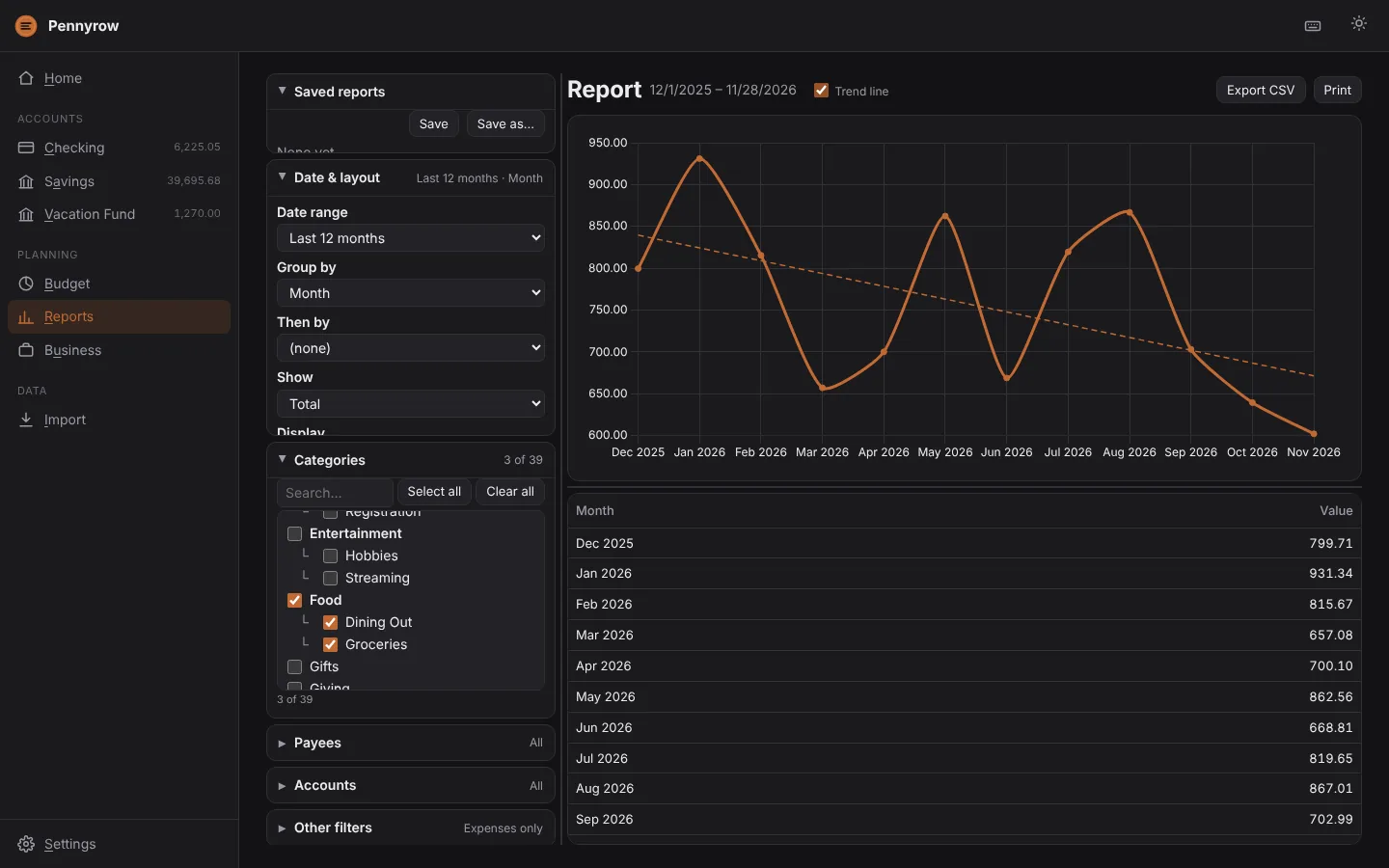
Reports with trends

Totals by category, payee, account or month, with trend lines that show whether things are getting better or worse. Export any report to CSV.

Bring your Quicken history

Export each account from Quicken as a QIF file (File → Export → QIF) and Pennyrow imports it, with its transactions, categories and payees.

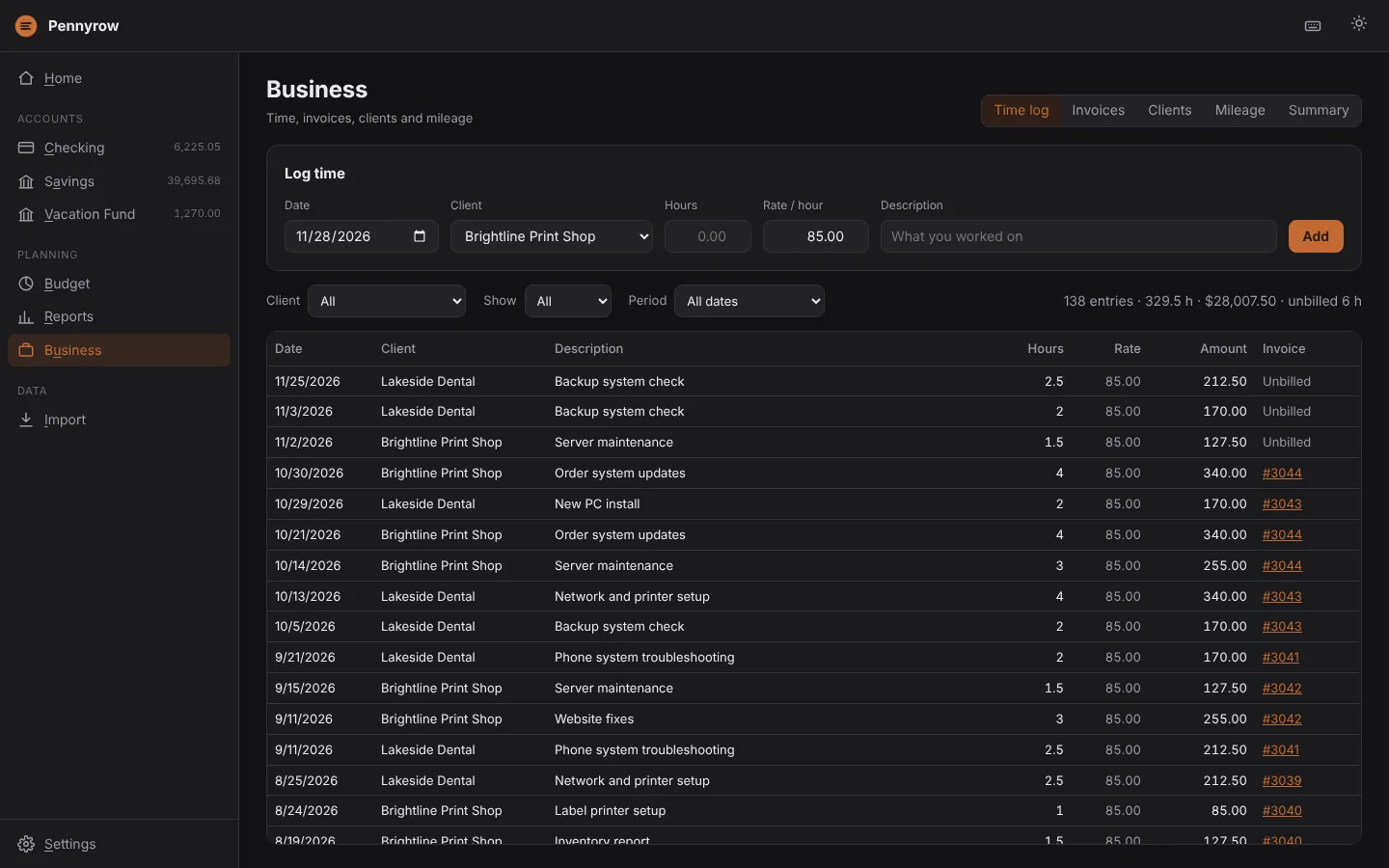
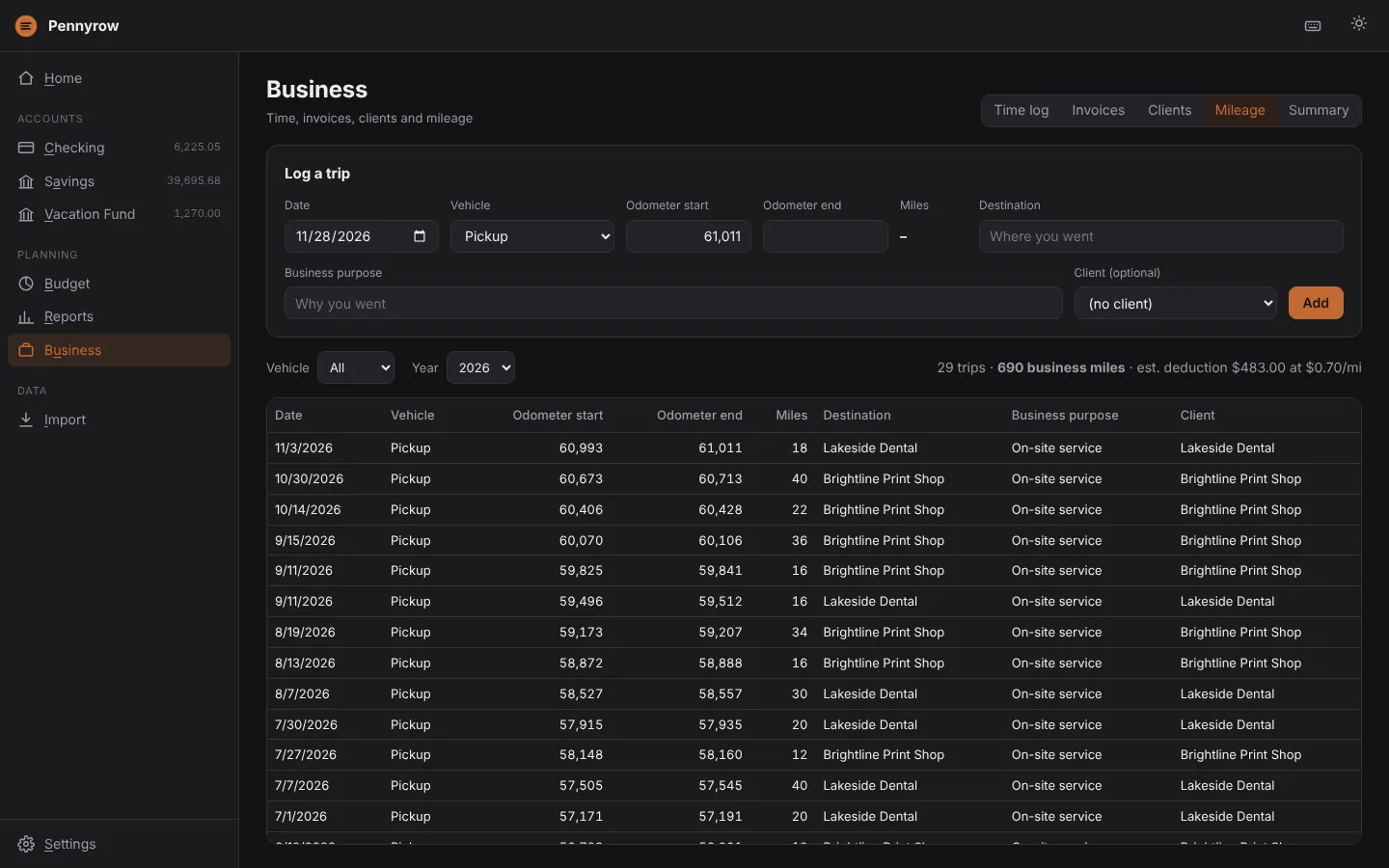
Side business tools

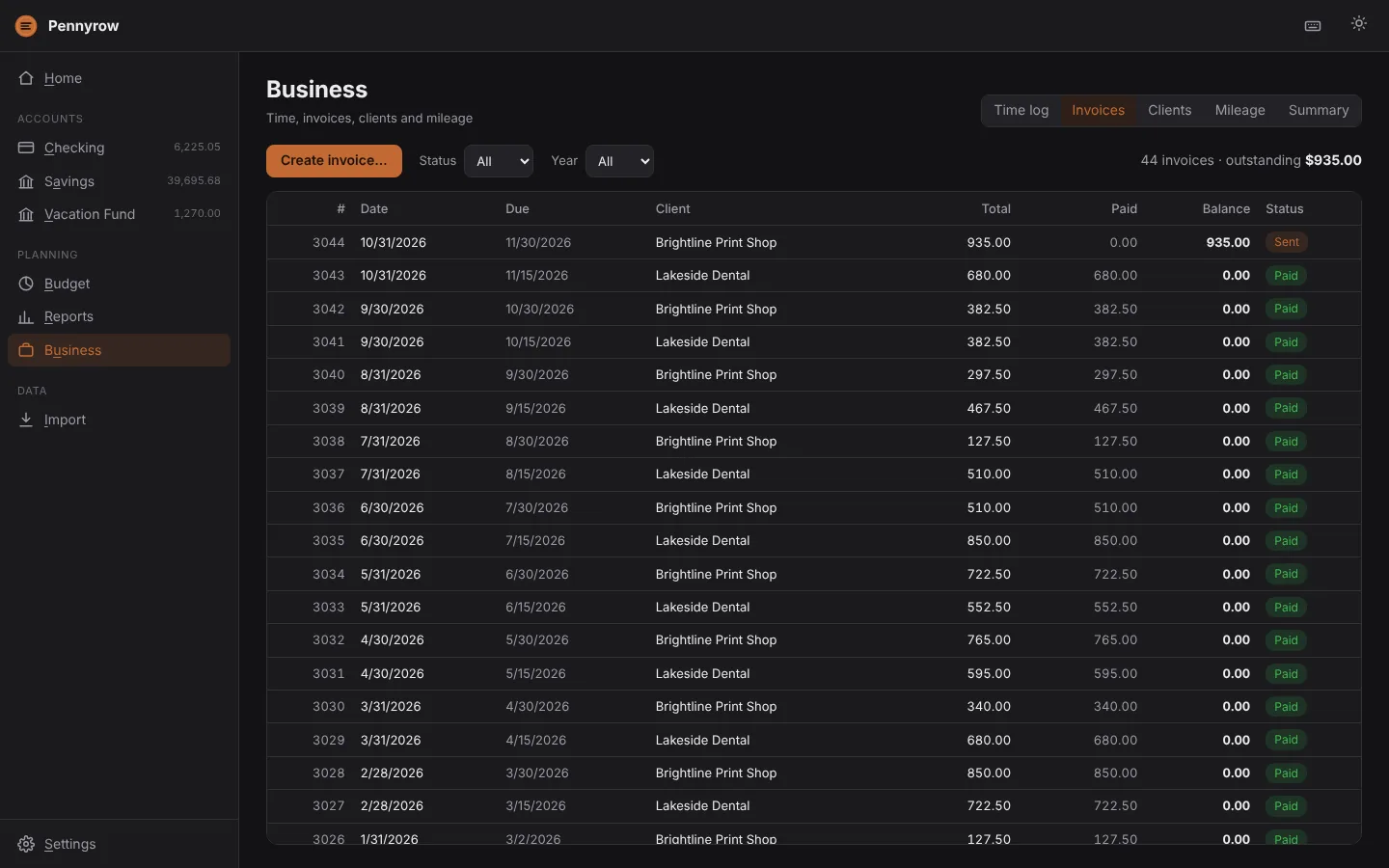
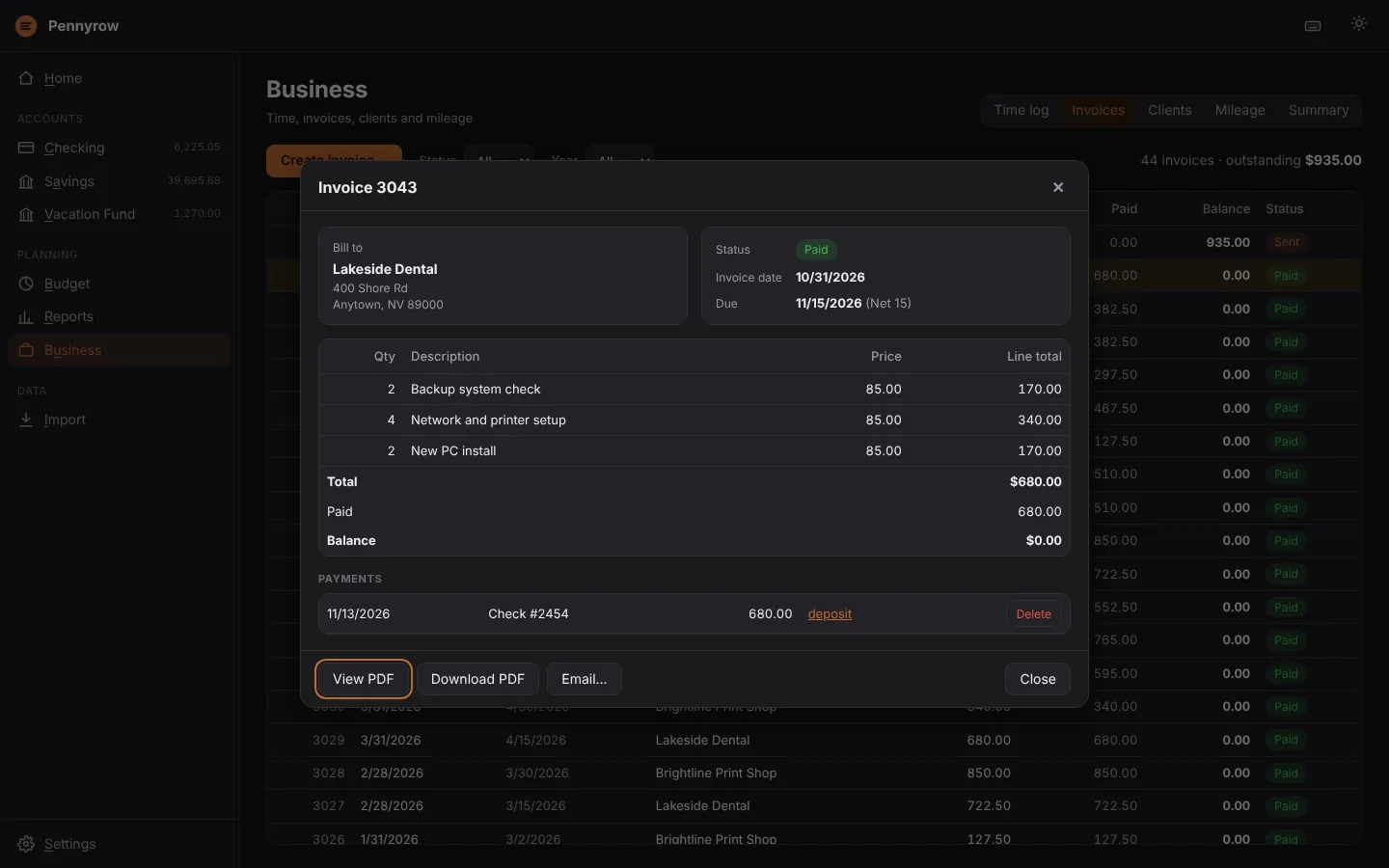
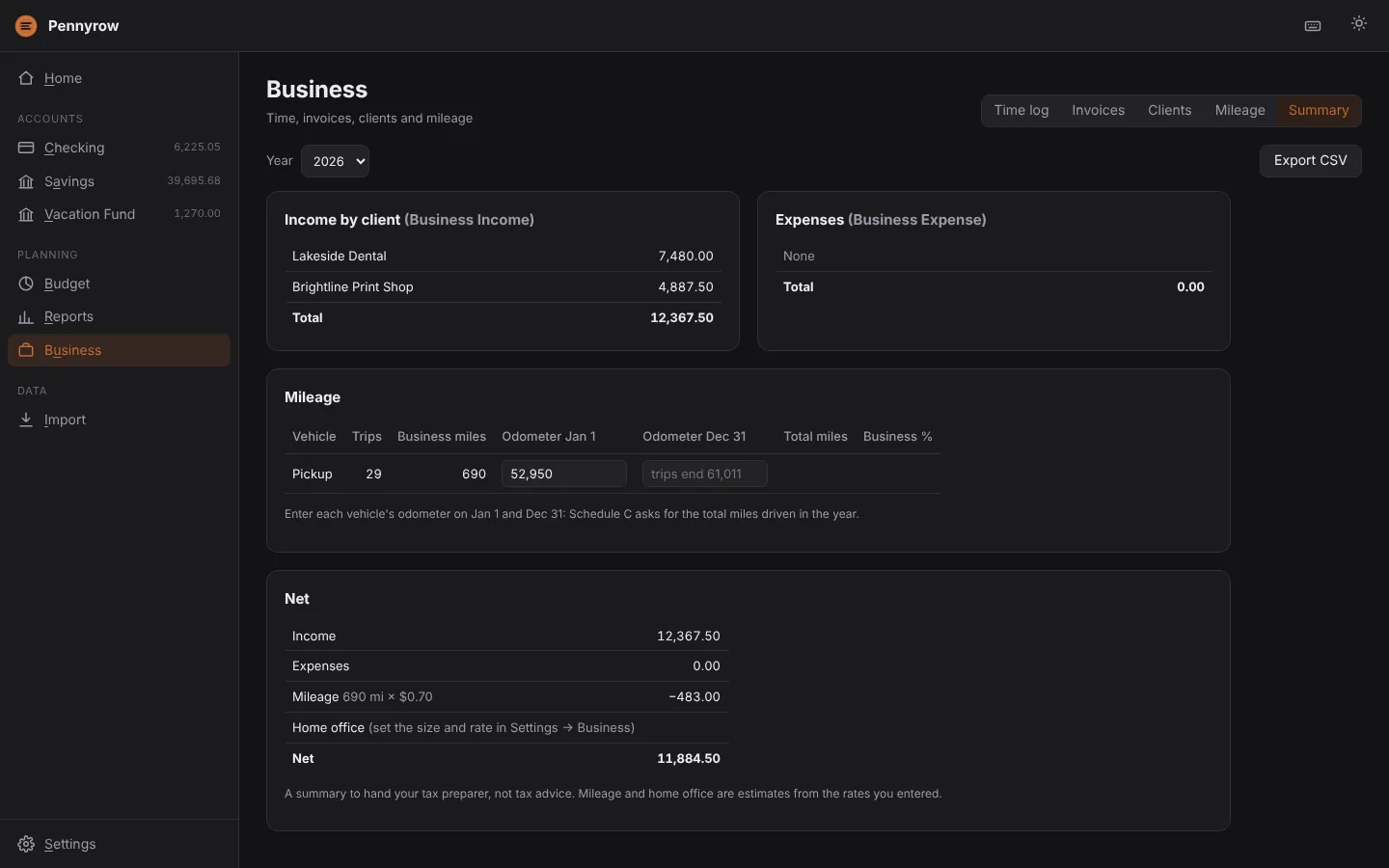
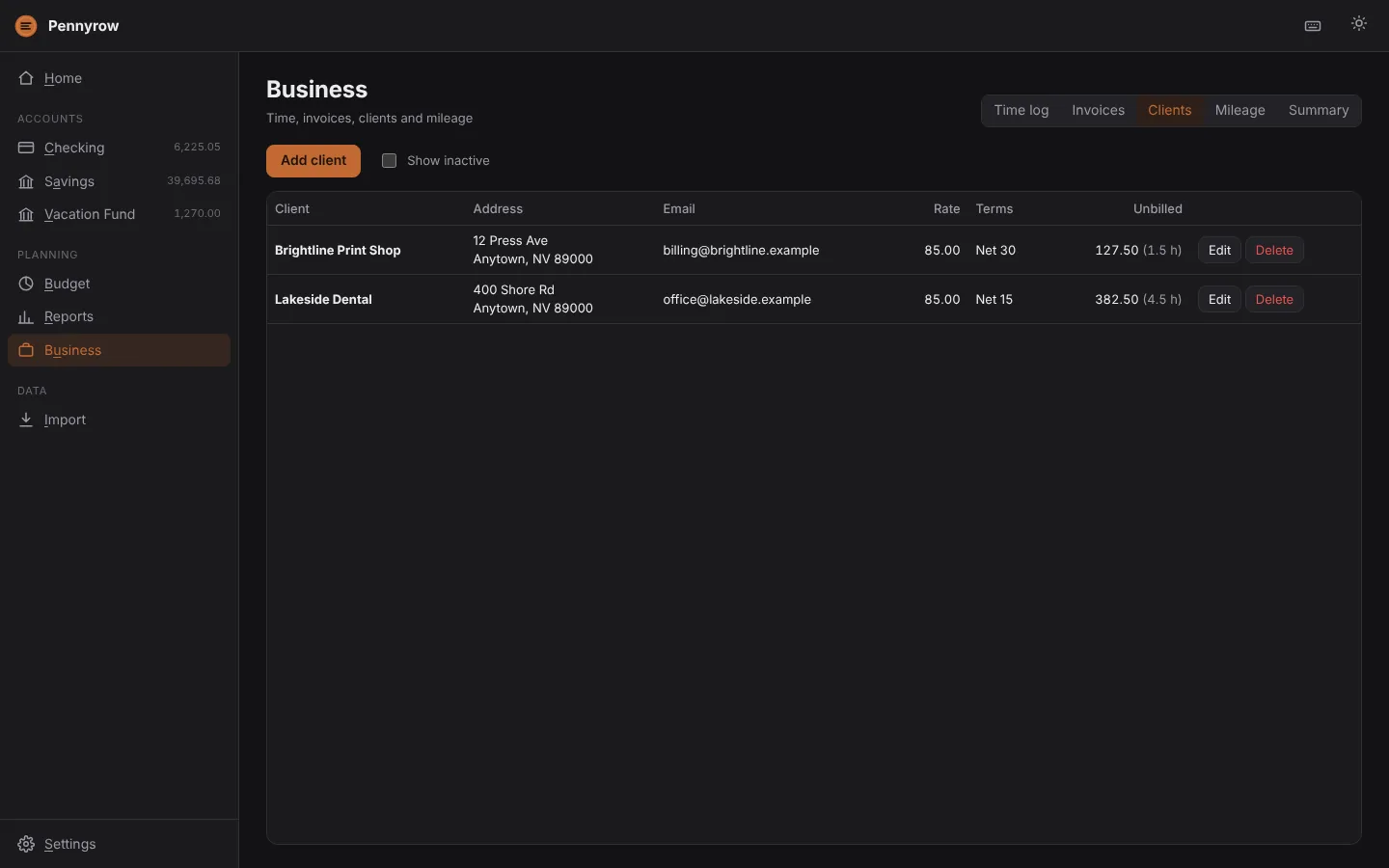
Log hours and mileage, turn them into invoices, record payments, and get a year-end summary to hand to your tax preparer.

Automatic budgeting

Budgets that set themselves.

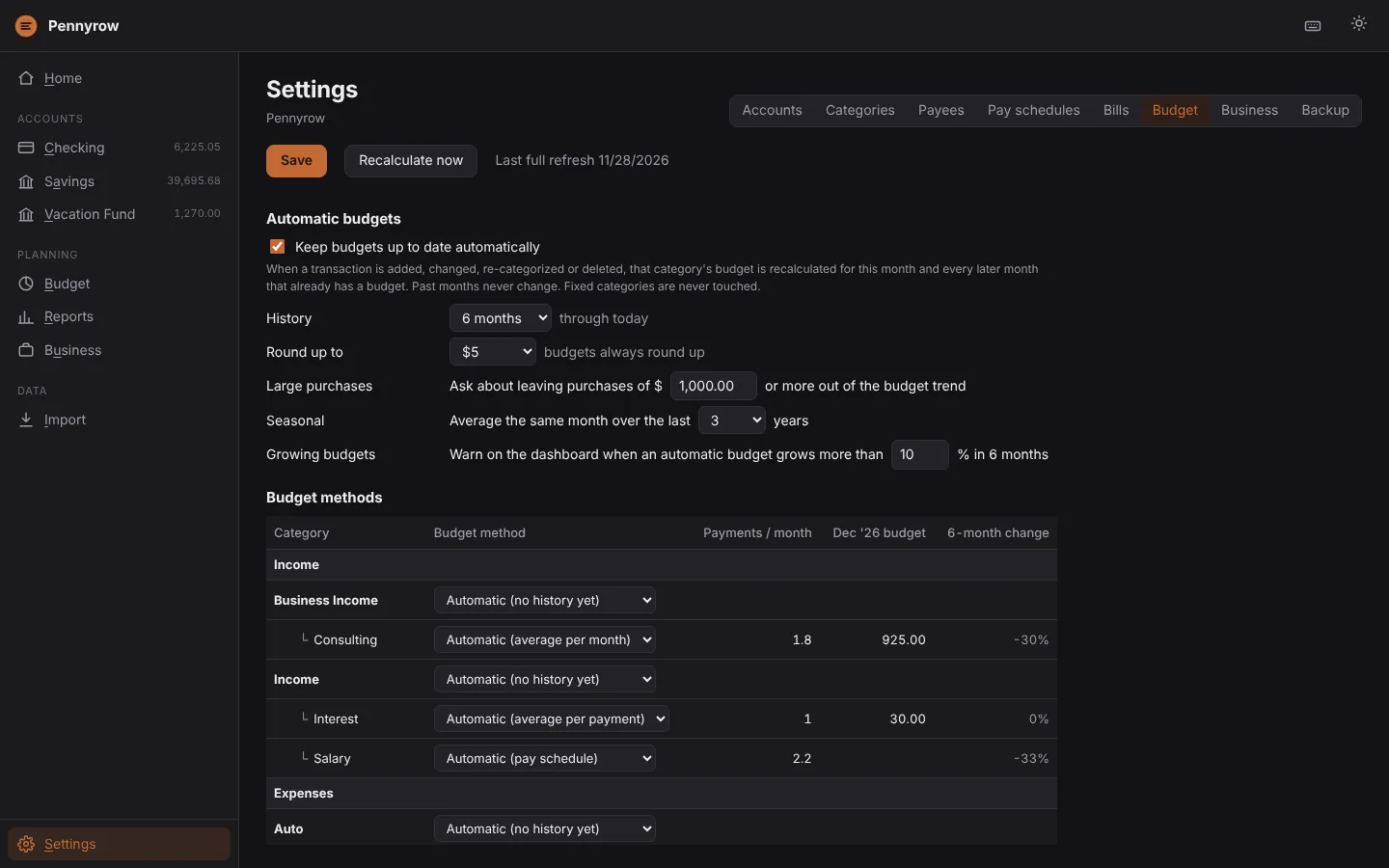
Pennyrow looks at the last few months of your spending (3, 6 or 12, your choice) and picks the right way to budget each category:

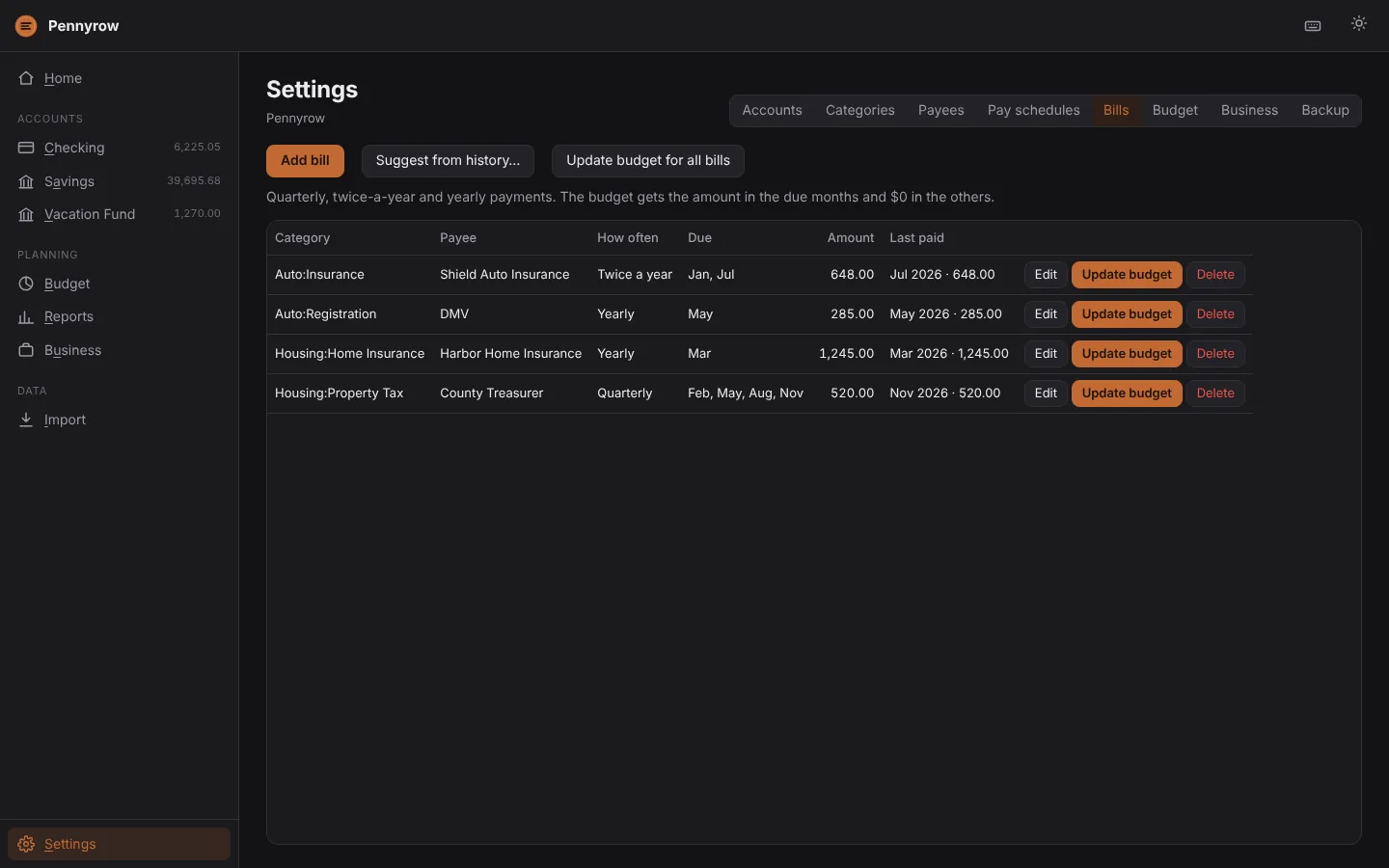
  • Bills follow your bill schedule, so a quarterly or yearly bill is budgeted in the months it's due.
  • Seasonal costs like heating, water or electricity are budgeted from the same month in past years. Pennyrow spots these on its own once a category has two years of history with a clear yearly pattern.
  • Monthly payments, about one a month, use your average payment.
  • Everything else uses your average per month, so occasional costs are spread out instead of budgeted in full every month.
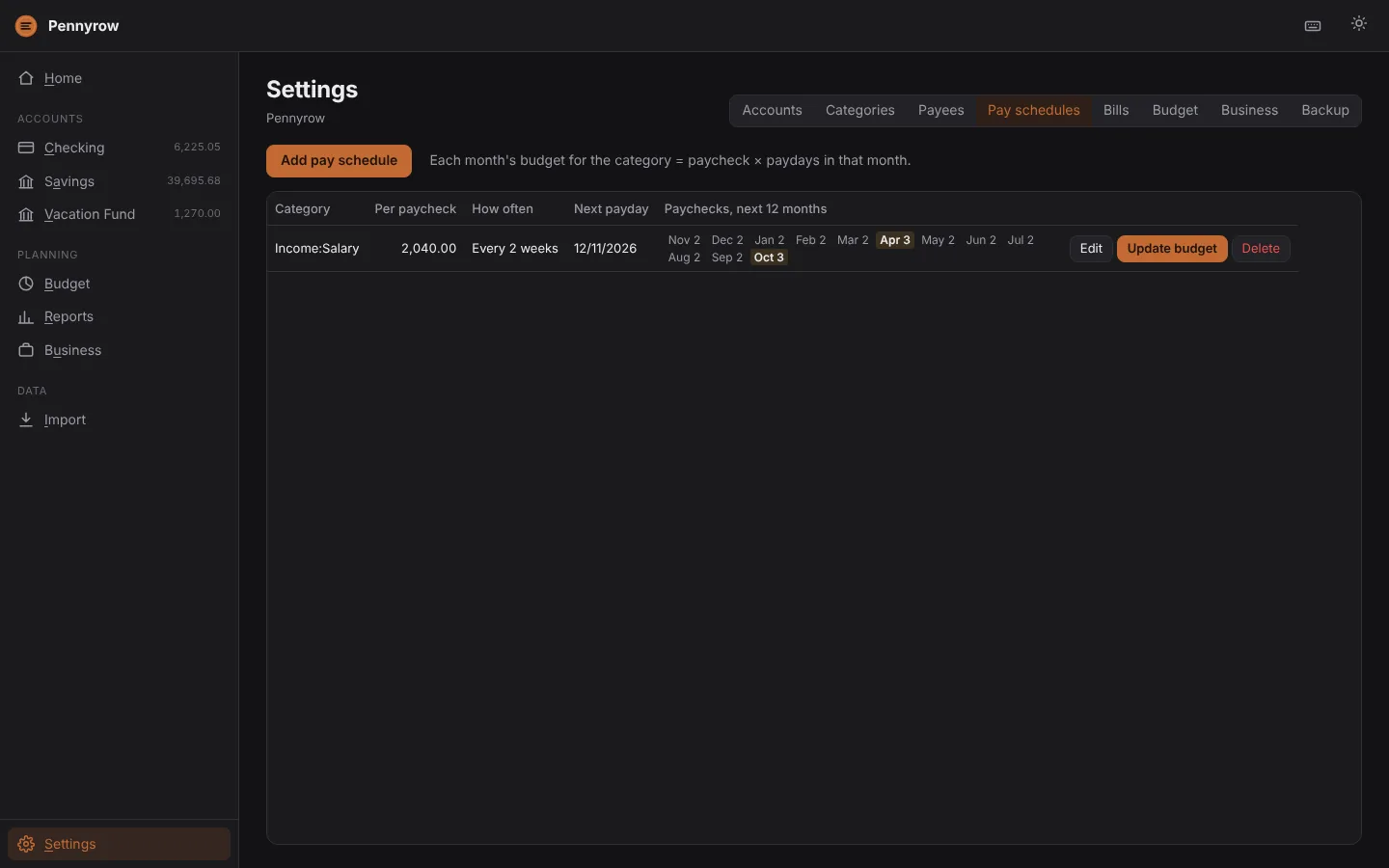
  • Paychecks come from your pay schedules.

Budgets always round up, never down, and refresh every day. Override any category, or lock one as Fixed. If a budget creeps up more than 10% in six months, the dashboard tells you.
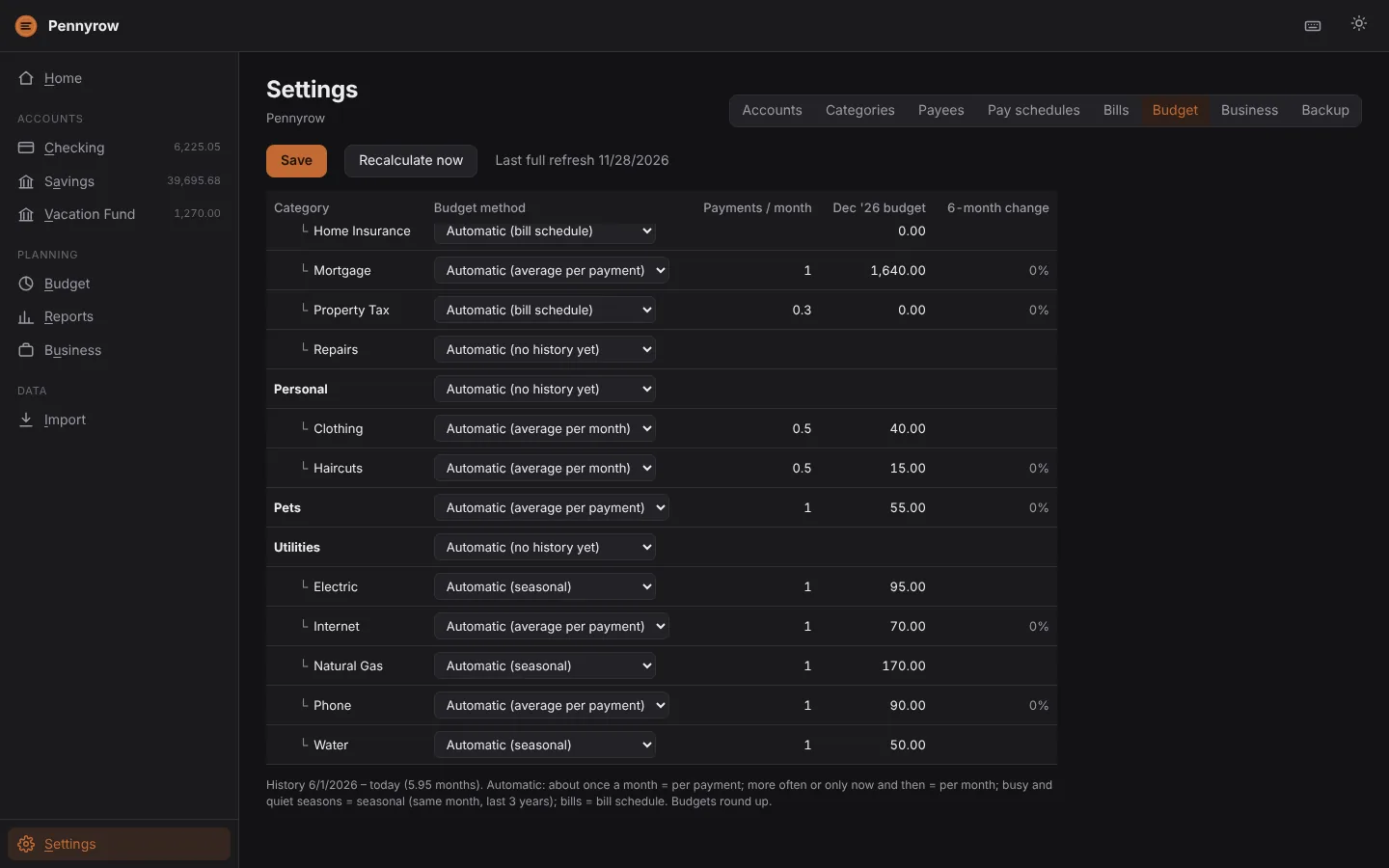
Budget methods: electricity, natural gas and water automatically set to seasonal
Electric, natural gas and water picked up as seasonal automatically.

Budget pacing

Know if you're on pace, not just over budget.

Most budgets only tell you you've overspent once it's too late. Pennyrow shows whether you're on pace every day of the month.

  • The expected mark. Each budget shows how much you'd expect to have spent by today. Ten days into a 30-day month, that's a third of your grocery budget.
  • The bar and the score. The bar is what you've spent; the score is how far ahead or behind you are, as a share of the budget. +12 means you're 12% under where you'd expect to be.
  • Colors that mean something. Green is on pace, amber is slightly behind (up to 10%), red is well behind.
  • Bills aren't paced by the day. Your mortgage counts once it's paid. A bill still unpaid after its due month is flagged red as unpaid.
  • Income is paced by paycheck, as each one comes due.
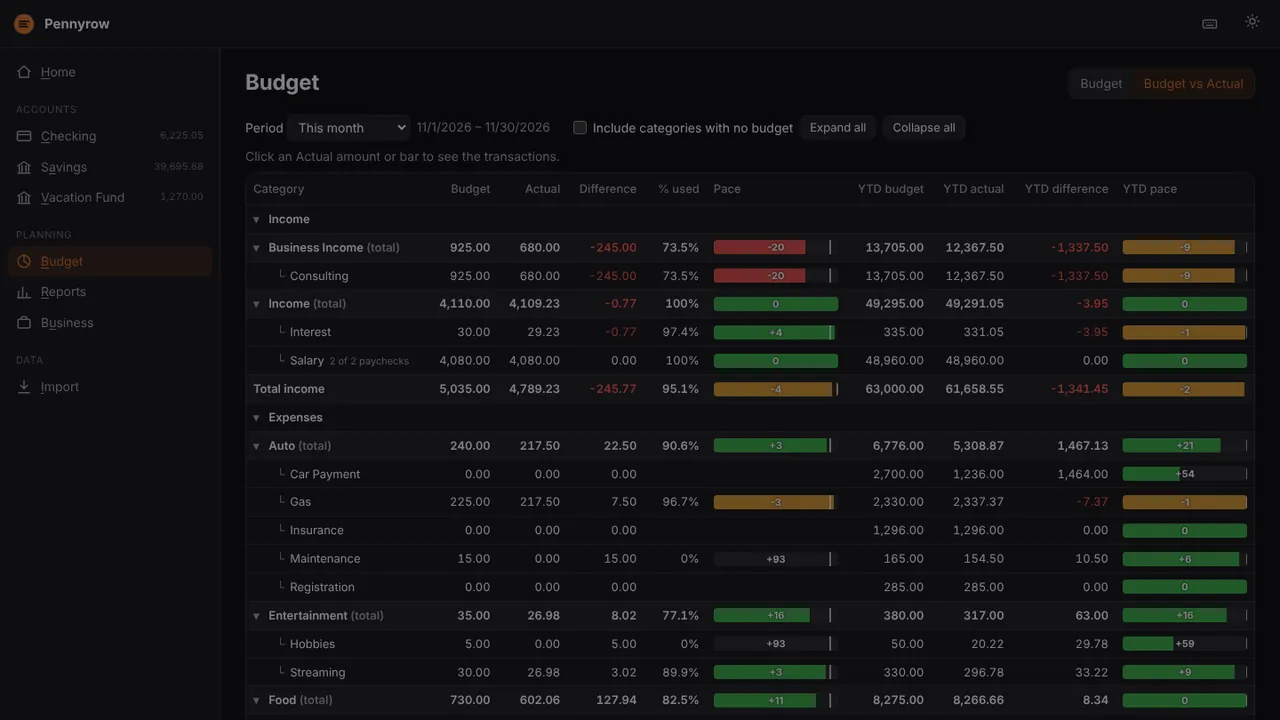
  • Month and year to date, and the dashboard lists the five categories furthest behind.
Groceries$330 of $600
+5
Dining Out$62 of $150
+19
Gas$151 of $225
−7
Property Tax$0 of $520
unpaid

expected by today (18 days into the month) · score = how far ahead (+) or behind (−)
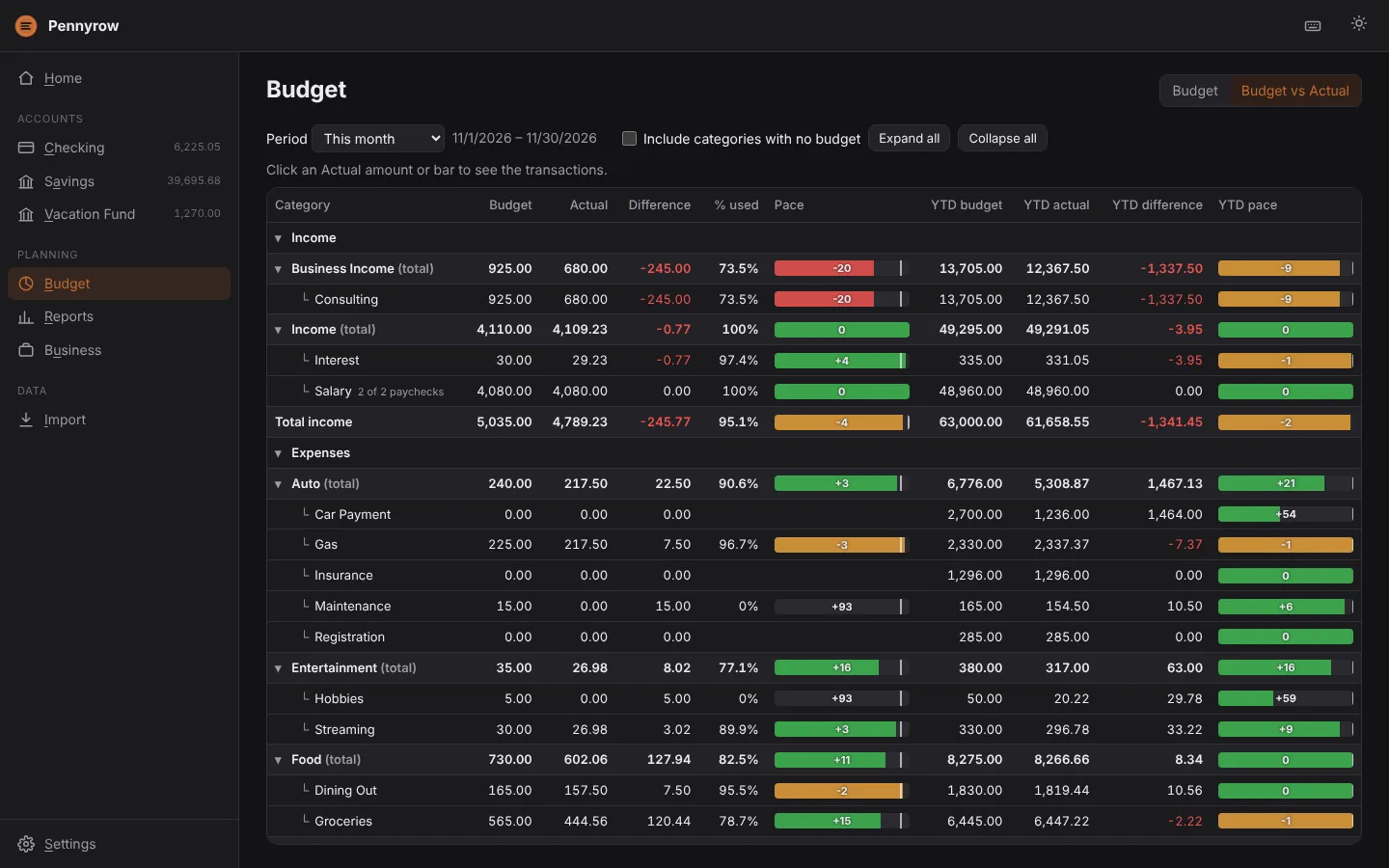
Budget vs Actual with pace bars for the month and year to date
Budget vs Actual, with pace for the month and year to date.

The little things add up.

  • No bank connection needed. Enter transactions or import QIF files. No third-party service ever holds your bank login.
  • Works offline. Your budget doesn't need the internet.
  • Your data is a file you own. Back it up, copy it, keep it as long as you like.
  • Export anytime. Any report can be saved as a CSV file for a spreadsheet.
  • Budget creep warnings. Find out when a budget quietly grows more than 10%.
  • Bills and paychecks on a schedule. Quarterly and yearly bills land in the right months; paychecks set your income budget.
  • Built for the keyboard. Shortcuts throughout, with quick keys for check numbers and cleared status in the register.
  • Reconcile at your pace. Mark what's cleared, then finish later if you need to.
  • Dark and light mode. Easy on the eyes, day or night.

How Pennyrow compares.

Typical budgeting appsPennyrow
Where your data livesOn the company's serversOn your computer
Bank loginsUsually linked through a third-party serviceNever needed
Ads or selling insightsCommon in free appsNone
Works offlineRarelyYes
Quicken historyOften starts you from scratchImports your QIF files
BudgetsYou set every number by handSet from your history, seasons included

Your money stays on your computer.

Most budgeting apps keep your accounts on their servers. Pennyrow doesn't. Your transactions, budgets and reports live in a file on your own PC.

  • Stored locally. Your financial data never leaves your computer.
  • No bank logins. Pennyrow never asks for or stores your bank passwords.
  • No ads, no tracking. Nothing to sell, so nothing to collect.
  • Only a license check. The app checks in to confirm your license and look for updates. It sends no financial data.

Be first in line.

Pennyrow is coming soon. Leave your email and we'll tell you when it's ready.

One quick question

Where did you hear about Pennyrow?